Hangars
Put your grids into a hangar when they’re not in active use.
It’s good for server performance and helps to keep them safe!
Production blocks do not work and no fuel or power is consumed while hangared.
Grids will be automatically put into the World Hangar if the owner has not been on the server for 24 hours
Public spawns are available in each sector to unhangar your grids from. Most of these don't have an exit, just do
Backspaceto respawn on your own grid.
World Hangar
The World Hangar is accessed via your Handheld Terminal. There’s each players Personal Hangar and also a shared Faction Hangar. You can unhangar, delete, view a preview and grab a GPS of the grid from the hangar menu on the terminal.
Hangared grids retain velocity and position. That means a grid is always unhangared at the position it was at, with the speed and direction of travel it had when hangared.
Grids inside the Command Hangar are completely removed from the game world and therefore safe.
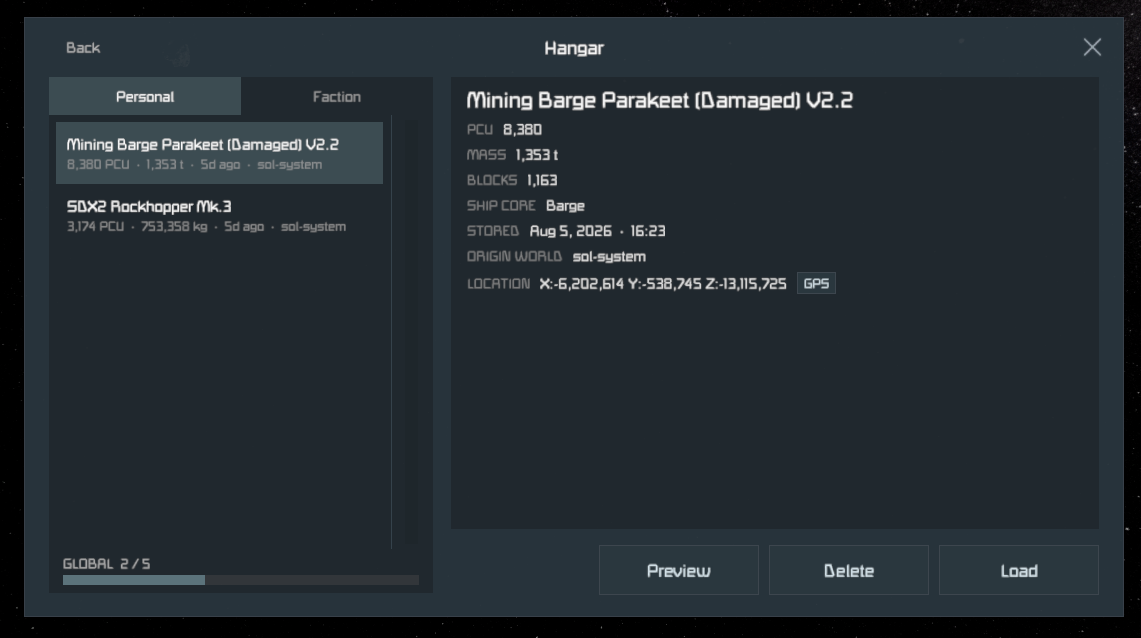
Personal Hangar
Every player has access to a Personal Hangar with 5 Slots. Use !h save while looking at a grid you own to put it in your hangar.
Faction Hangar
Every faction has access to a shared Faction Hanger with 5 slots. Use !fh save while looking at a grid to put it into the faction hangar.
Faction Founders can adjust access to the faction hangar via the ‘Faction Hangar’ > ‘Permissions’ menu on the hand terminal. With default settings, only Leaders and above can use it.
Make sure your grid is fully set to ‘Share with faction’ before putting it into Faction Hangar, so your faction mates can actually use it.
Use the command
!claim trueto take ownership of a shared grid after unhangaring, then run!fixshipfor good measure.
Mobile Hangar
The Mobile Hangars are blocks you can place on grids with a few specific Grid Cores.
To stow a grid, fly it fully into the marked hangar volume. Then, in the control menu of the Hangar Block, click save to hangar the grid into the block. It’s removed from the game world. Hangared grids can be taken out via the control menu of the Hangar Block.
Currently, no voxel obstruction checks are performed when unhangaring. Make double sure the area is clear of obstacles before taking a grid out of your Block Hangar!
If the Hangar Block is destroyed, the grid inside it is destroyed too!
While the Hangar Block is off, it shows as empty even though it might not be