Hand Terminal
Navigation Menu
Press N to open the Navigation Menu. Select your destination from the list before embarking on a trip to see travel distances and flight time.
Visit Travel to learn more.
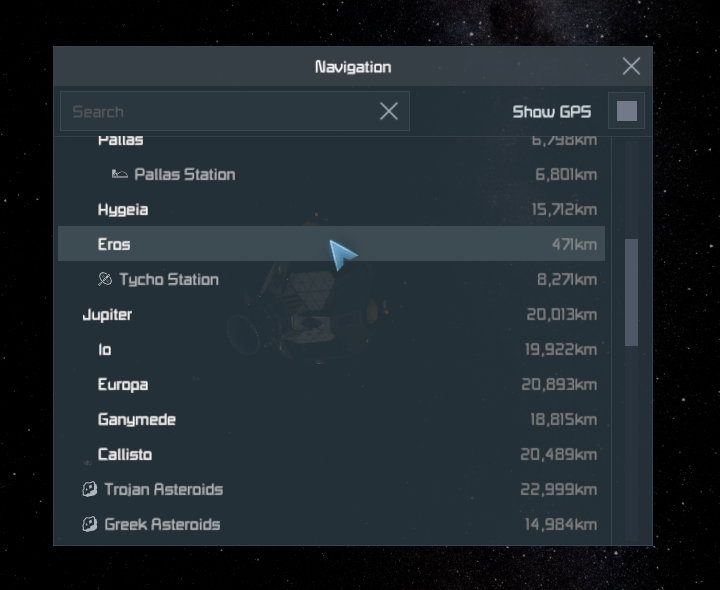
The Navigation Menu
Personal Terminal
Press M to open the Terminal menu containing Missions, your Inbox, Organization management, shipments, the World Hangars and the Market overview.
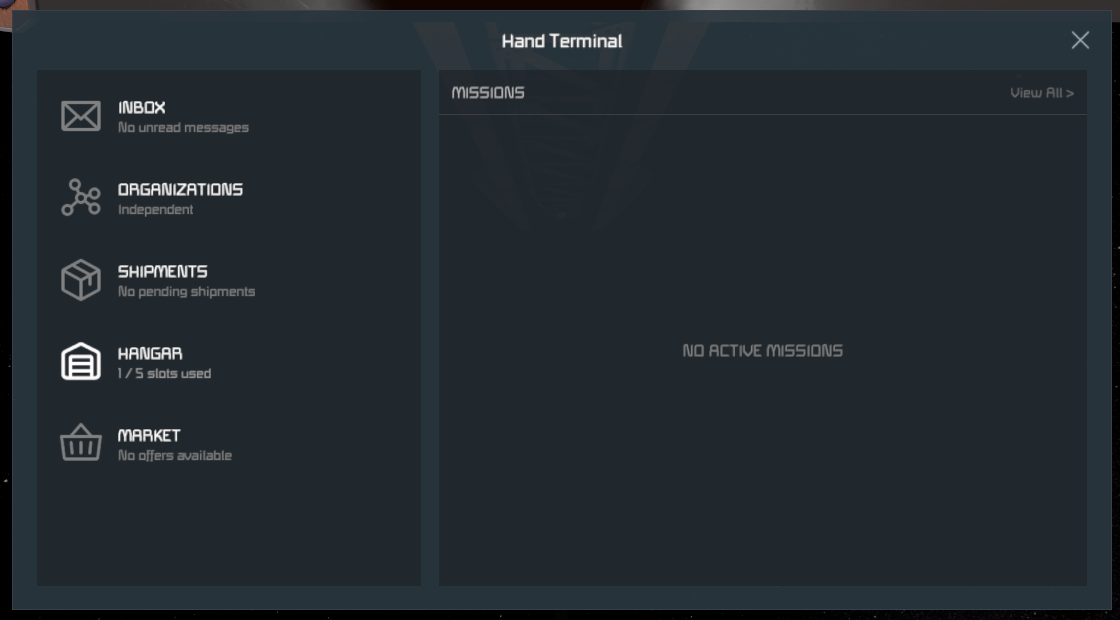
Missions
Shows your currently active missions and the step you’re supposed to be working on.
The first few missions are assigned autiomatically. After you’re done with the starters, you can pick up missions at NPC Stations.
Inbox
Shows messages from Admins, Missions (…)
Reputation
To align yourself with an Organization, you need to build a good Reputation with it. This menu gives you an overview of your standing with all of them.
Shipments
Shows any pending Deliveries and Collections.
Deliveries show any items you need to transport, and where you need to take them - usually as part of hauling missions.
Collections show any items waiting for you at a station. These can be for hauling missions, or rewards for successful mission completion.
When delivering or collecting items, the Shipment menu will show your character in addition to any ships you have docked with the station, which you can select as the source/destination of the item transfer.
Hangar
See Hangar.
Market
Coming soon.